
















Kick-start your app creation
Whether you’re a beginner or a pro, Dynatrace Developer has the tools and support you need to create incredible apps with minimal effort.
Go to Dynatrace Developer
 Oracle Database
Observe, analyze and optimize the usage, health and performance of your database
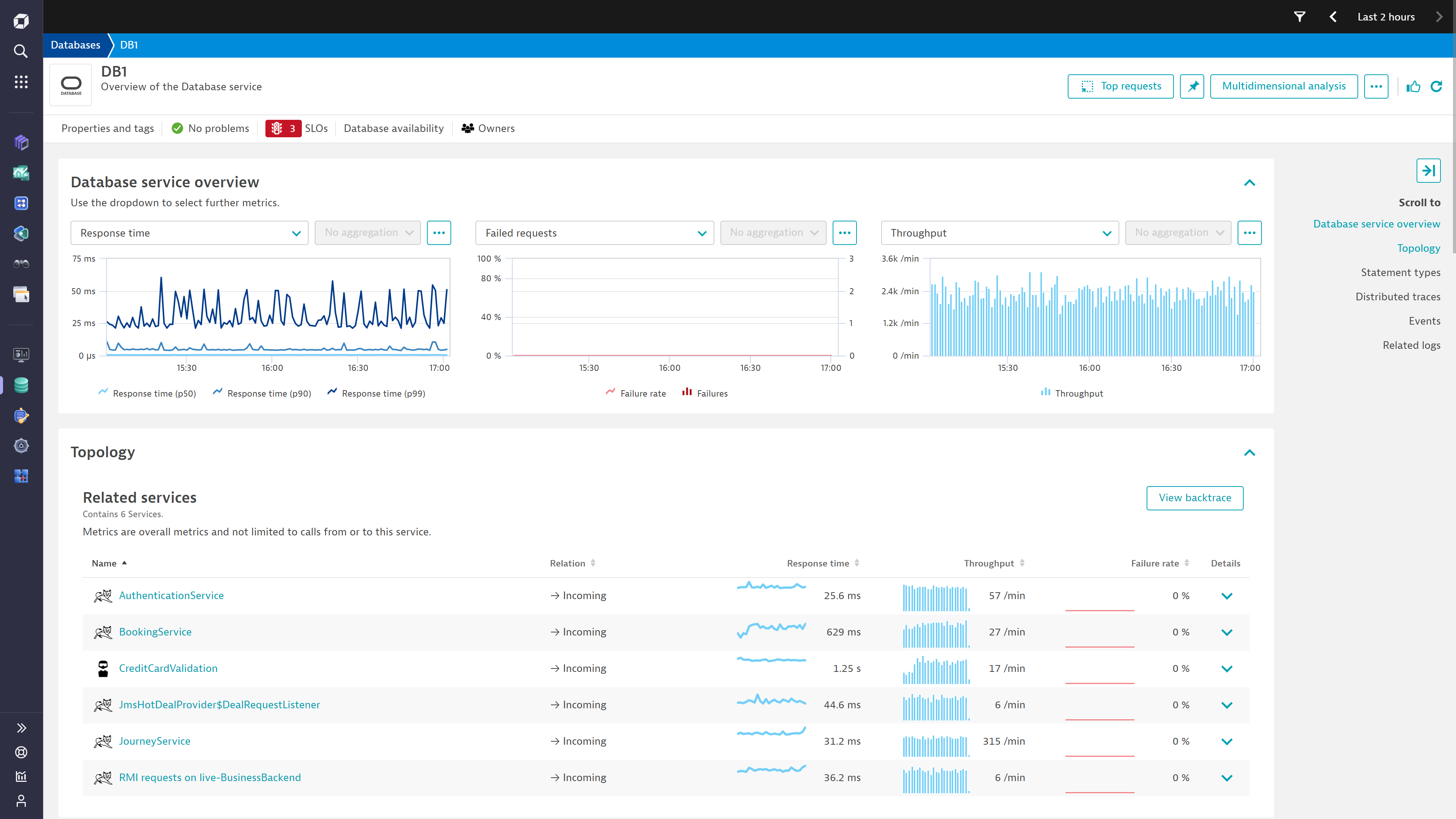
ExtensionDynatrace automatically detects all applications and microservices deployed in your system and how your system uses Oracle Database.
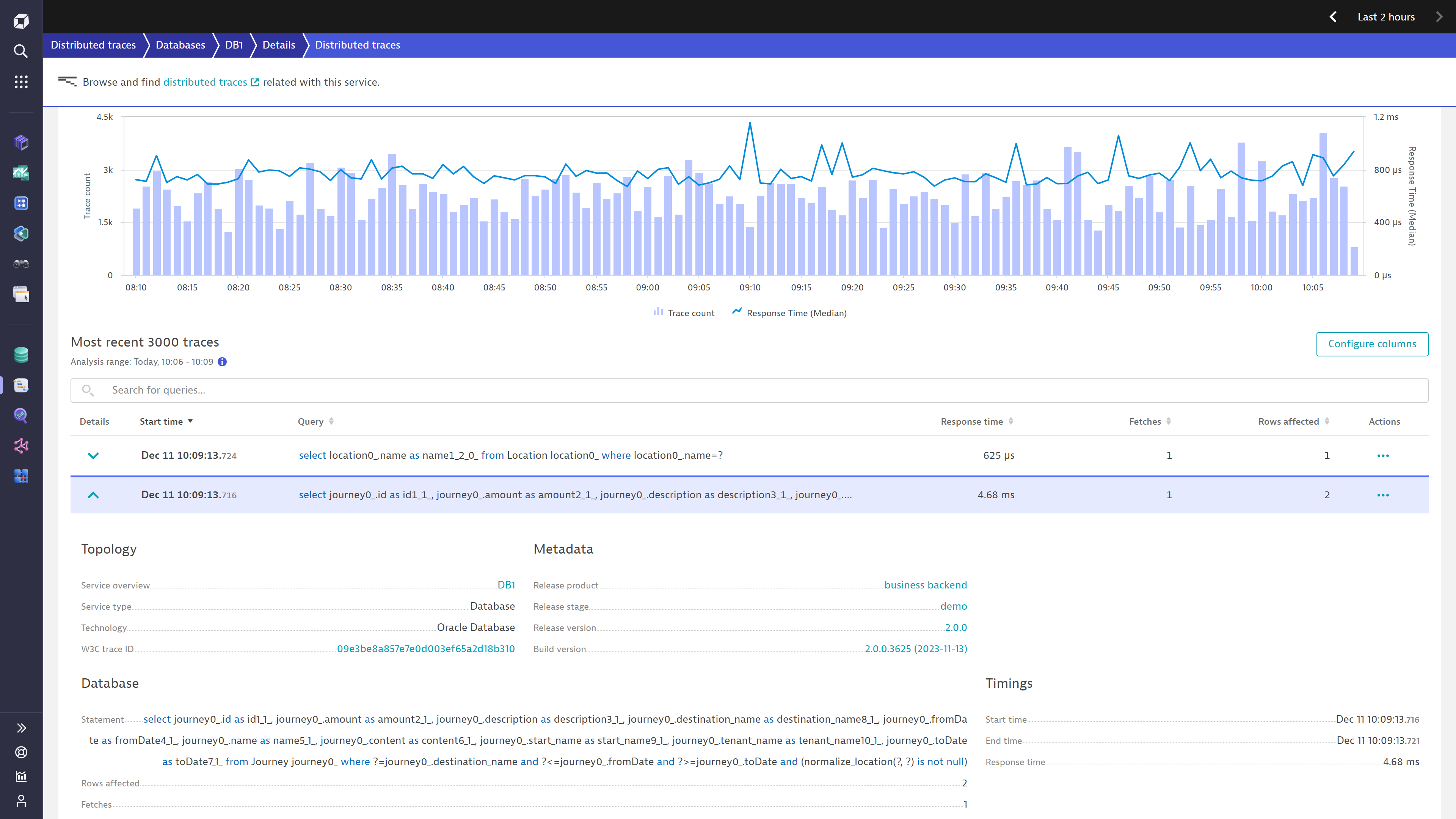
Dynatrace diagnoses anomalies in real time with AI and pinpoints the root cause in slow-performing or erroneous SQL statements. Deep code-level insights combined with cloud-native database server monitoring help you ensure a robust production environment.
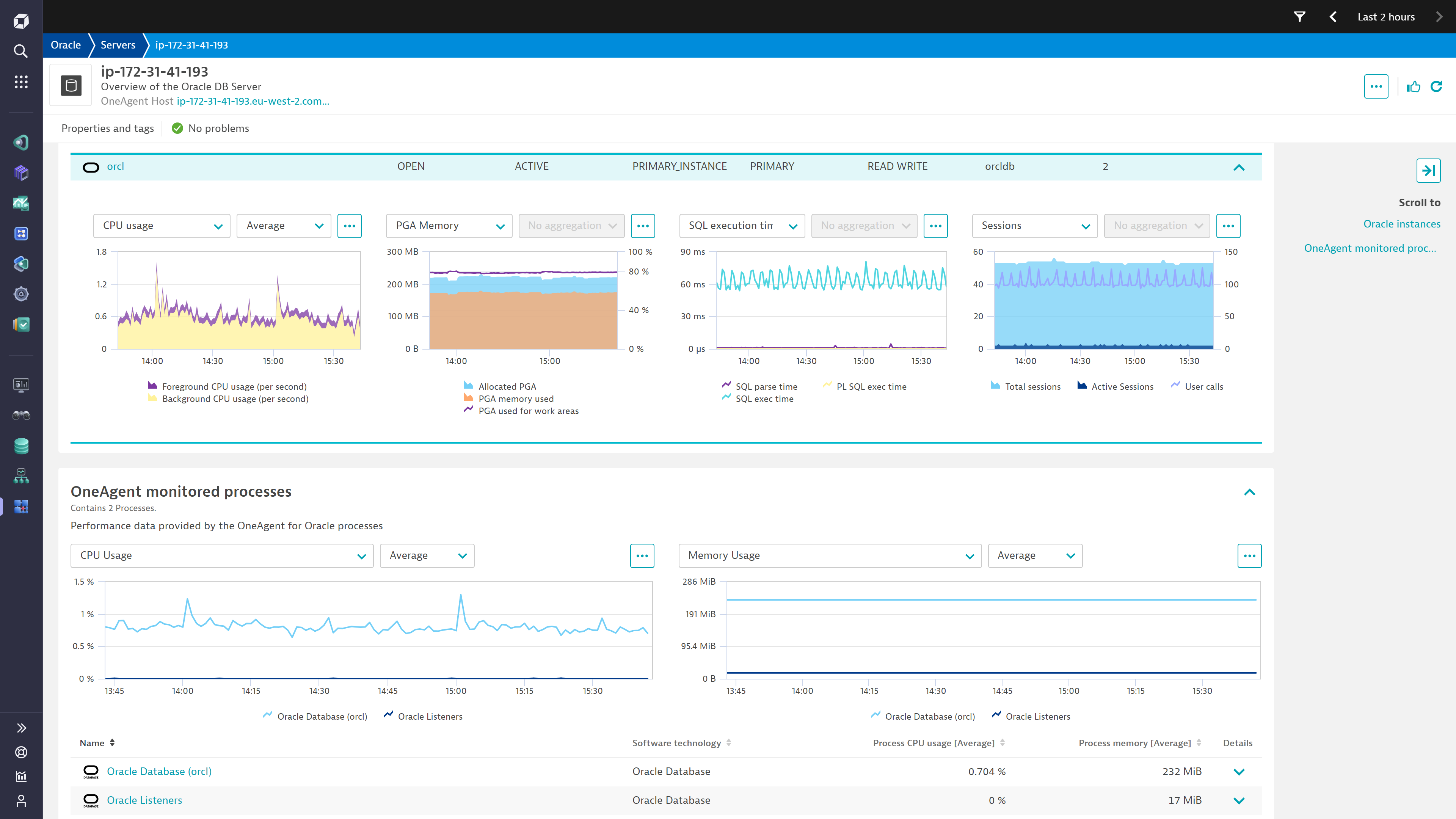
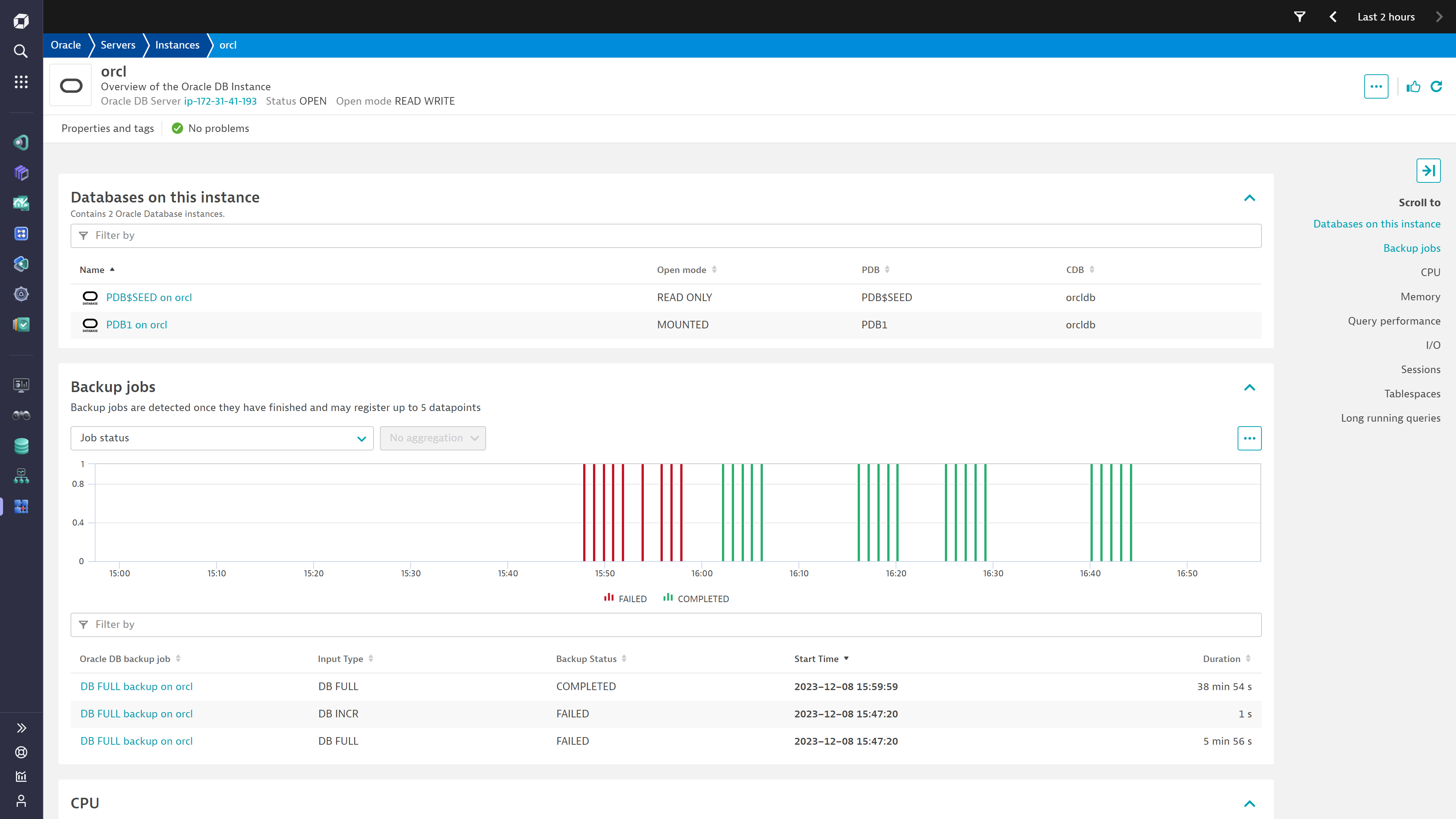
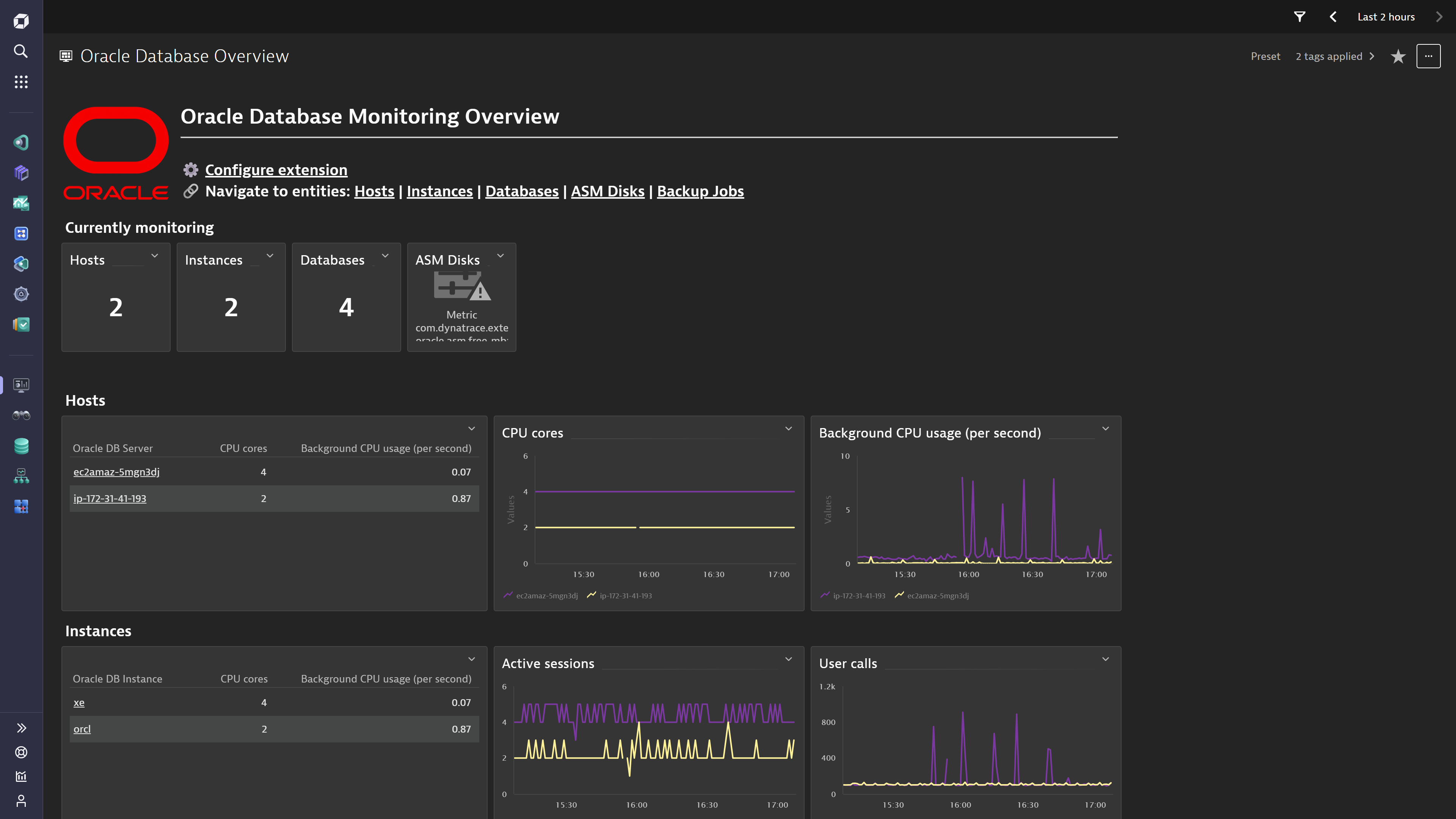
The Oracle Database extension complements the client-side database usage insights by providing server-side observability starting with availability and performance statistics, down to individual SQL statements and log insights.
Get started for Oracle Database clients:
If the application that connects to the Oracle Database server runs on a virtual machine or bare-metal, install OneAgent on it to get started.
If the application that connects to the Oracle Database server runs as a workload in Kubernetes or OpenShift, set up Dynatrace on Kubernetes or OpenShift.
Activate the following OneAgent features to get full tracing insight:
Get started with Oracle Database servers:
If your Oracle Database server runs on a virtual machine or bare-metal, install OneAgent on it to get started with system performance metrics.
Activate the remote Oracle Database extension to get full insight into the Oracle Database server's health and performance combined with metrics and events. A dedicated user account is recommended for monitoring, with:
CREATE_SESSIONSELECT_CATALOG_ROLEroles granted, or set of SELECT permissions on the following performance views:
V$PARAMETERV$METRICV$METRICGROUPV$PGASTATV$SGASTATV$SYSSTATV$LIBRARYCACHEV$DATAFILEV$TEMPFILEV$TABLESPACEV$CONTAINERSV$RECOVERY_FILE_DESTV$ASM_DISK_STATV$ASM_DISKGROUP_STATV$DATABASEV$INSTANCEV$SYSTEM_WAIT_CLASSV$SESSIONV$RESOURCE_LIMITV$SYSTEM_EVENTCDB_DATA_FILESCDB_TEMP_FILESCDB_TABLESPACESCDB_TABLESPACE_USAGE_METRICSV$RMAN_BACKUP_JOB_DETAILSV$BACKUP_SET_DETAILSV$SYS_TIME_MODELV$SQLAREAV$PDBSV$DATAGUARD_STATUSV$ARCHIVE_DEST_STATUSV$LOGDepending on the level of detail, additional privileges might be required, such as SYSDBA or SYSASM privileges, to view certain ASM statistics. These privileges are typically granted by an ASM administrator.
While the extension supports connecting directly to a Pluggable Database (PDB), our recommended approach is to connect your monitoring configuration to the Container Database (CDB) and allow the extension to discover all PDBs automatically. Several metrics are tailored to this approach so the results may be different if connected to the PDB instead. The monitoring account may need explicit permission over PDBs. For example, you can use this statement:
alter user <your_username> set container_data=all for sys.v_$pdbs container = current;
Finally, activate log monitoring to get full log insight.
Note:
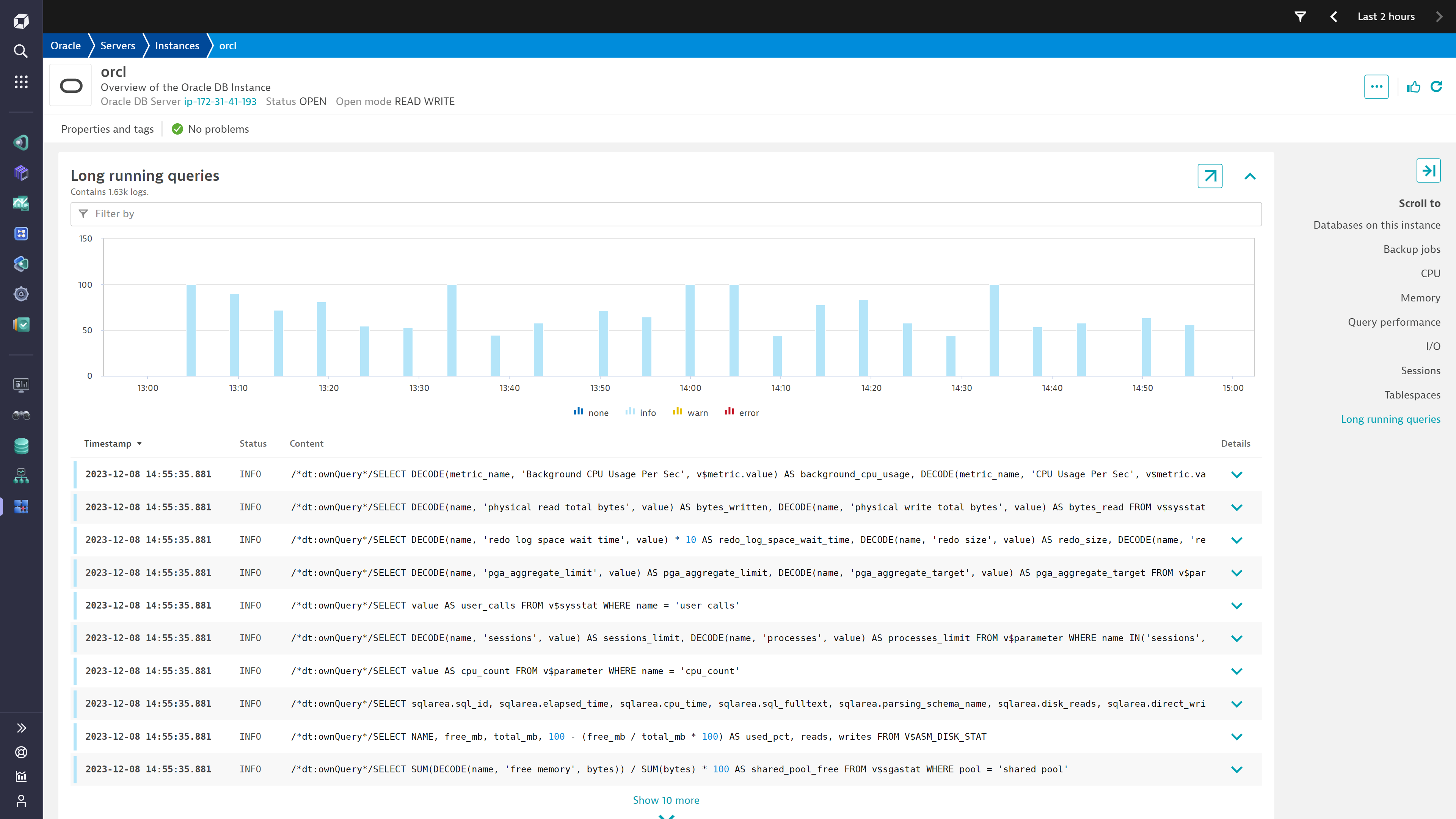
With the TopN feature set, the extension reports the most time consuming queries on the Oracle Instance entity page, in a card called "Logs". Enabling this feature may expose sensitive data in the reported queries.
The following Oracle versions are supported:
The following architectures are supported:
SELECT name, value FROM v$parameter WHERE name = 'audit_trail';OS means that the audit logs are stored locally in the file.
SELECT value FROM v$parameter WHERE name = 'audit_file_dest';specifies the log file's location
Configure LogAgent's security rules to allow access to local files, by adding the oracle.json file under :
/var/lib/dynatrace/oneagent/agent/config/logmodule%PROGRAMDATA%\dynatrace\oneagent\agent\config\logmodule{
"@version": "1.0.0",
"allowed-log-paths-configuration": [
{
"directory-pattern": "/u01/app/oracle/admin/oracle_standalone/adump/",
"file-pattern": "*.aud",
"action": "INCLUDE"
}
]
}
Agent restart is not required, this config will be applied within 1 minute.
Use the log file location fetched via the query executed in the first step, e.g. /u01/app/oracle/admin/oracle_standalone/adump/*.
An example configuration that includes only ORA-01017 that reports invalid username or password logon attempts could be configured using:
Log content is any of: (.*)RETURNCODE:\[(\d+)\] "1017 AND Log source is any of: /u01/app/oracle/admin/oracle_standalone/adump/*
Logs collected the way described above can be accessed using following DQL query:
fetch logs | filter matchesValue(log.source, "/u01/app/oracle/admin/oracle_standalone/adump/*").
Configure log processing rule to extract log attributes out of the log content:
matchesValue(log.source, "/u01/app/oracle/admin/oracle_standalone/adump/*")PARSE(content, "
DATA ' RETURNCODE:['INT']' SPACE '\"' INT:ora.returncode LD") |
PARSE(content, "
DATA ' USERID:['INT']'SPACE CSVDQS:ora.userid LD") |
PARSE(content, "
DATA ' USERHOST:['INT']'SPACE CSVDQS:ora.userhost LD")
Extract metrics from log entries to enable alerting:
log.oracle.invalid_credentialsmatchesValue(log.source, "/u01/app/oracle/admin/oracle_standalone/adump/*")Occurence of logs recordsQuery performance tracking may expose sensitive data in reported statements. Consequently, Dynatrace provides an optional mechanism that allows masking selected attributes. Details are available in the official documentation.
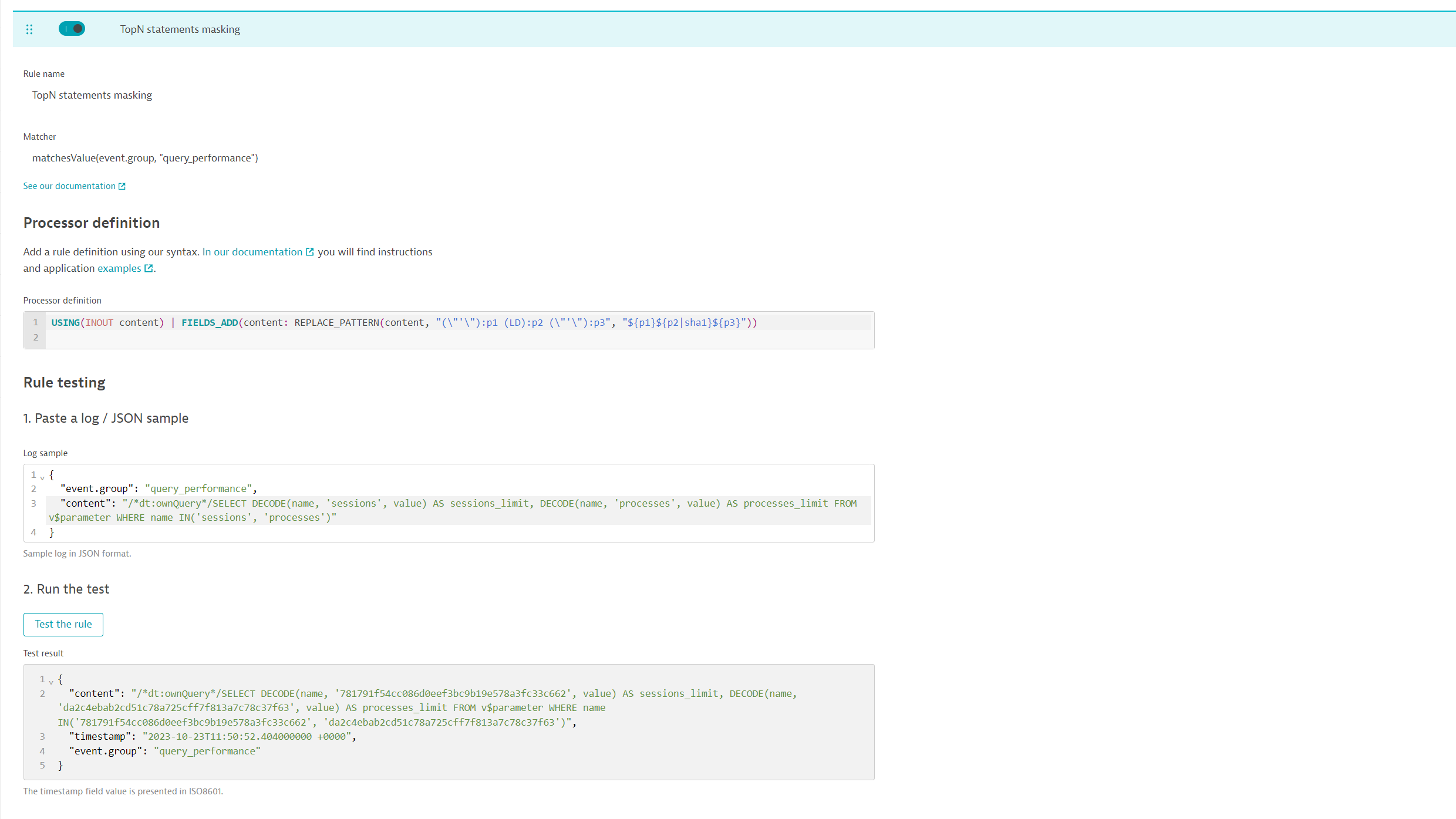
The configurations below present and example of how the sensitive data can be masked within the statements tracked.
Settings -> Log Monitoring -> Processing
USING(INOUT content) | FIELDS_ADD(content: REPLACE_PATTERN(content, "(\"'\"):p1 (LD):p2 (\"'\"):p3", "${p1}${p2|sha1}${p3}"))logProcessingRules:
- ruleName: TopN statements masking
query: event.group="query_performance"
enabled: true
ProcessorDefinition:
rule: |
USING(INOUT content) | FIELDS_ADD(content: REPLACE_PATTERN(content, "(\"'\"):p1 (LD):p2 (\"'\"):p3", "${p1}${p2|sha1}${p3}"))
RuleTesting:
sampleLog: |
{
"event.group": "query_performance",
"content": "/*dt:ownQuery*/SELECT DECODE(name, 'sessions', value) AS sessions_limit, DECODE(name, 'processes', value) AS processes_limit FROM v$parameter WHERE name IN('sessions', 'processes')"
}
Please adjust this rule to match your use case.
The metrics collected through this extension consume Dynatrace Davis Data Units (see DDUs for metrics).
A rough estimation of the amount of DDUs consumed by metric ingest can be obtained through the following formula:
(55 * number of instances * 525.6) + (7 * number of databases * 525.6) + (8 * number of backup jobs per year * 0.005) + (5 * number of ASM disks * 525.6) + (3 * number of ASM disk groups * 525.6)
For logs, regular DDU consumption for log monitoring applies. Depending on your licensing model, refer either to DDU consumption for Log Management and Analytics or DDUs for Log Monitoring Classic.
Below is a complete list of the feature sets provided in this version. To ensure a good fit for your needs, individual metrics can be activated and deactivated by your administrator during configuration.
| Metric name | Metric key | Description | Unit |
|---|---|---|---|
| Instance status | com.dynatrace.extension.sql-oracle.status | A state metric representing the details of the connected Oracle instance. | State |
| Database status | com.dynatrace.extension.sql-oracle.db_status | A state metric representing details of the connected Oracle database. | State |
| Metric name | Metric key | Description | Unit |
|---|---|---|---|
| FRA Usage | com.dynatrace.extension.sql-oracle.fra.usage | The percentage disk utilization in the fast recovery area. | Percent |
| FRA limit | com.dynatrace.extension.sql-oracle.fra.limit | Maximum amount of disk space (in bytes) that the database can use for the fast recovery area. This is the value specified in the DB_RECOVERY_FILE_DEST_SIZE initialization parameter. | Byte |
| FRA used | com.dynatrace.extension.sql-oracle.fra.used | Amount of disk space (in bytes) used by fast recovery area files created in current and all previous fast recovery areas. Changing fast recovery areas does not reset SPACE_USED to 0. | Byte |
| FRA reclaimable | com.dynatrace.extension.sql-oracle.fra.reclaimable | Total amount of disk space (in bytes) that can be created by deleting obsolete, redundant, and other low priority files from the fast recovery area | Byte |
| Metric name | Metric key | Description | Unit |
|---|---|---|---|
| Active Sessions | com.dynatrace.extension.sql-oracle.sessions.active | Active sessions count | Count |
| Total sessions | com.dynatrace.extension.sql-oracle.sessions.all | Total sessions count | Count |
| User calls | com.dynatrace.extension.sql-oracle.sessions.userCalls.count | Total number of logins, parses, or execute calls | Count |
| Metric name | Metric key | Description | Unit |
|---|---|---|---|
| Dataguard severe events | com.dynatrace.extension.sql-oracle.dataguard.severeEvents | Counts the number of fatal and severe Data guard events occurred in the last day. If this count is greater than 0, check its dimensions to take action for the specific events. | Count |
| NOLOGGING activity | com.dynatrace.extension.sql-oracle.dataguard.nologgingActivity | Counts the number of files which contain NOLOGGING activity in the last day. If the count is greater than 0 then the standby database is vulnerable; check the dimensions to find out which files must be refreshed on the standby. | Count |
| Archive destination status | com.dynatrace.extension.sql-oracle.dataguard.archiveDestErrStatus | Counts the number of invalid or errored statuses of archive destinations. If the count is greater than 0, use the dimensions to understand the status and destination it refers to. | Count |
| Seq. difference | com.dynatrace.extension.sql-oracle.dataguard.seqDifference | Tracks the difference in sequence number between the latest archived and applied redo log. Use this count along with the dimensions to identify gaps between the primary and archive destination. | Count |
| Metric name | Metric key | Description | Unit |
|---|---|---|---|
| Sessions utilization | com.dynatrace.extension.sql-oracle.limits.sessions_utilization | Utilization of sessions on the instance. This is a percentage of current utilization relative to the limit. | Percent |
| Processes utilization | com.dynatrace.extension.sql-oracle.limits.processes_utilization | Utilization of processes on the instance. This is a percentage of current utilization relative to the limit. | Percent |
| Metric name | Metric key | Description | Unit |
|---|---|---|---|
| Number of wait events | com.dynatrace.extension.sql-oracle.wait.count | Total number of waits for the event | Count |
| Seconds waited | com.dynatrace.extension.sql-oracle.wait.time.count | Total amount of time waited for the event | MicroSecond |
| Metric name | Metric key | Description | Unit |
|---|---|---|---|
| PGA aggregate limit | com.dynatrace.extension.sql-oracle.memory.pga.size.pgaAggregateLimit | Limit on the aggregate PGA memory consumed by the instance | Byte |
| PGA aggregate target | com.dynatrace.extension.sql-oracle.memory.pga.size.pgaAggregateTarget | Target aggregate PGA memory available to all server processes attached to the instance | Byte |
| PGA memory used | com.dynatrace.extension.sql-oracle.memory.pga.used | PGA memory consumed by work areas | Byte |
| Allocated PGA | com.dynatrace.extension.sql-oracle.memory.pga.allocated | Current amount of PGA memory allocated by the instance | Byte |
| Shared pool free | com.dynatrace.extension.sql-oracle.memory.sga.cacheBuffer.sharedPoolFree | Amount of free system global area (SGA) memory available in shared pool | Percent |
| Redo log space wait time | com.dynatrace.extension.sql-oracle.memory.sga.redoBuffer.redoLogSpaceWaitTime.count | Total elapsed time of waiting for redo log space request | MilliSecond |
| Redo size increase | com.dynatrace.extension.sql-oracle.memory.sga.redoBuffer.redoSizeIncrease.count | Total amount of redo generated in bytes | Byte |
| Redo write time | com.dynatrace.extension.sql-oracle.memory.sga.redoBuffer.redoWriteTime.count | Total elapsed time of the write from the redo log buffer to the current redo log file | MilliSecond |
| Logical reads | com.dynatrace.extension.sql-oracle.memory.sessionLogicalReads.count | The sum of "db block gets" plus "consistent gets" | Count |
| Physical reads | com.dynatrace.extension.sql-oracle.memory.physicalReads.count | Total number of data blocks read from disk | Count |
| Physical reads direct | com.dynatrace.extension.sql-oracle.memory.physicalReadsDirect.count | Number of reads directly from disk, bypassing the buffer cache | Count |
| Sorts in memory | com.dynatrace.extension.sql-oracle.memory.memorySorts.count | Number of sort operations that were performed completely in memory and did not require any disk writes | Count |
| Sorts on disk | com.dynatrace.extension.sql-oracle.memory.diskSorts.count | Number of sort operations that required at least one disk write | Count |
| Library cache hit ratio | com.dynatrace.extension.sql-oracle.memory.libraryCacheHitRatio | Library cache hit ratio | Percent |
| Metric name | Metric key | Description | Unit |
|---|---|---|---|
| Total size | com.dynatrace.extension.sql-oracle.tablespaces.totalSpace | Total size of tablespace, including extensibility. This covers both allocated an unallocated space as large as the tablespace can expand. | Byte |
| Free space | com.dynatrace.extension.sql-oracle.tablespaces.freeSpace | Total free space available in the tablespace, in bytes. This includes space that is currently allocated and available for reuse and space that is currently unallocated. | Byte |
| Used space | com.dynatrace.extension.sql-oracle.tablespaces.usedSpace | Total space in use within the tablespace, in bytes. | Byte |
| Allocated space | com.dynatrace.extension.sql-oracle.tablespaces.allocatedSpace | Total space in use within the tablespace, in bytes. | Byte |
| Tablespace usage | com.dynatrace.extension.sql-oracle.tablespaces.usage | The percentage of tablespace in use, relative to the total size (including extensibility). | Percent |
| Metric name | Metric key | Description | Unit |
|---|---|---|---|
| Total size | com.dynatrace.extension.sql-oracle.pdb-total_size | Shows the disk space (in bytes) used by the PDB, including both data and temp files. | Count |
| Block size | com.dynatrace.extension.sql-oracle.pdb-block_size | The current block size for the PDB | Count |
| Diagnostic size | com.dynatrace.extension.sql-oracle.pdb-diagnostic_size | Shows the current disk space usage (in bytes) of the diagnostic traces generated in the PDB. | Count |
| Audit files size | com.dynatrace.extension.sql-oracle.pdb-audit_files_size | Shows the current disk space usage (in bytes) by Unified Audit files (.bin format) in the current PDB. | Count |
| Max size | com.dynatrace.extension.sql-oracle.pdb-max_size | Shows the maximum amount of disk space (in bytes) that can be used by data and temp files in the PDB | Count |
| Max diagnostic size | com.dynatrace.extension.sql-oracle.pdb-max_diagnostic_size | Shows the maximum amount of disk space (in bytes) that can be used by diagnostic traces generated in the PDB | Count |
| Max audit size | com.dynatrace.extension.sql-oracle.pdb-max_audit_size | Shows the maximum amount of disk space (in bytes) that can be used by Unified Audit files (.bin format) in the PDB | Count |
| Metric name | Metric key | Description | Unit |
|---|---|---|---|
| Free space | com.dynatrace.extension.sql-oracle.asm.disk_group.free_mb | Free disk space available on this Oracle ASM Disk Group | MegaByte |
| Total space | com.dynatrace.extension.sql-oracle.asm.disk_group.total_mb | Total disk space available on this Oracle ASM Disk Group | MegaByte |
| Used space | com.dynatrace.extension.sql-oracle.asm.disk_group.usage | Percentage of disk space used on this Oracle ASM Disk Group | Percent |
| Free space | com.dynatrace.extension.sql-oracle.asm.disk.free_mb | Free disk space available on this Oracle ASM Disk | MegaByte |
| Total space | com.dynatrace.extension.sql-oracle.asm.disk.total_mb | Total disk space available on this Oracle ASM Disk | MegaByte |
| Used space | com.dynatrace.extension.sql-oracle.asm.disk.usage | Percentage of disk space used on this Oracle ASM Disk | Percent |
| Reads | com.dynatrace.extension.sql-oracle.asm.disk.reads.count | Number of reads from this Oracle ASM Disk | Count |
| Writes | com.dynatrace.extension.sql-oracle.asm.disk.writes.count | Number of writes to this Oracle ASM Disk | Count |
| Metric name | Metric key | Description | Unit |
|---|---|---|---|
| Input bytes | com.dynatrace.extension.sql-oracle.backup-input_bytes | Sum of all input file sizes backed up. | Byte |
| Output bytes | com.dynatrace.extension.sql-oracle.backup-output_bytes | Output size of all pieces generated. | Byte |
| Elapsed seconds | com.dynatrace.extension.sql-oracle.backup-elapsed_seconds | Number of elapsed seconds. | Second |
| Compression ratio | com.dynatrace.extension.sql-oracle.backup-compression_ratio | Compression ratio. | Percent |
| Input bytes per second | com.dynatrace.extension.sql-oracle.backup-input_bytes_per_second | Input read-rate-per-second. | BytePerSecond |
| Output bytes per second | com.dynatrace.extension.sql-oracle.backup-output_bytes_per_second | Output write-rate-per-second. | BytePerSecond |
| Auto - backup count | com.dynatrace.extension.sql-oracle.backup-autobackup_count_number | Number of autobackups performed by this job. | Count |
| Backup state | com.dynatrace.extension.sql-oracle.backup.state | A state metric representing the details of a Backup Job. | State |
| Time since last backup | com.dynatrace.extension.sql-oracle.backup.time_since | The time elapsed since the last backup completed successfully. | Minute |
| Metric name | Metric key | Description | Unit |
|---|---|---|---|
| Connection management time | com.dynatrace.extension.sql-oracle.queries.connectionManagement.count | Time spent on performing session connect and disconnect calls | MicroSecond |
| PL SQL exec time | com.dynatrace.extension.sql-oracle.queries.plSqlExec.count | Time spent on running the PL/SQL interpreter | MicroSecond |
| SQL exec time | com.dynatrace.extension.sql-oracle.queries.sqlExec.count | Time spent on executing SQL | MicroSecond |
| SQL parse time | com.dynatrace.extension.sql-oracle.queries.sqlParse.count | Time spent on parsing SQL | MicroSecond |
| DB Time | com.dynatrace.extension.sql-oracle.queries.dbTime.count | Time spent on performing Database user-level calls | MicroSecond |
| DB CPU | com.dynatrace.extension.sql-oracle.queries.cpuTime.count | CPU time spent on performing database user-level calls | MicroSecond |
| Metric name | Metric key | Description | Unit |
|---|---|---|---|
| CPU cores | com.dynatrace.extension.sql-oracle.cpu.cores | Number of CPU cores | Count |
| Background CPU usage (per second) | com.dynatrace.extension.sql-oracle.cpu.backgroundTotal | CPU usage of background processes in centi seconds per second | Unspecified |
| Foreground CPU usage (per second) | com.dynatrace.extension.sql-oracle.cpu.foregroundTotal | CPU usage of foreground processes in centi seconds per second | Unspecified |
| Metric name | Metric key | Description | Unit |
|---|---|---|---|
| Datafile status | com.dynatrace.extension.sql-oracle.datafile.status | State metric representing the status of Datafiles and Tempfiles across containers (database and any PDBs). | NotApplicable |
| Metric name | Metric key | Description | Unit |
|---|---|---|---|
| Physical bytes read | com.dynatrace.extension.sql-oracle.io.bytesRead.count | Total size in bytes of disk reads by all database instance activity including application reads, backup, recovery, and other utilities | Byte |
| Physical bytes written | com.dynatrace.extension.sql-oracle.io.bytesWritten.count | Total size in bytes of all disk writes for the database instance including application activity, backup, recovery, and other utilities | Byte |
| Total wait time | com.dynatrace.extension.sql-oracle.io.wait.count | Total time spent in all wait states except for Idle class | MilliSecond |
CDB_TABLESPACE_USAGE_METRICS which takes into account the underlying filesystem (same as Oracle Enterprise Manager)Due to the topology changes mentioned below, your environment may create new entities to replace the ones created by older versions of the extension.
Any custom configuration relying on the following entity types will not work:
sql:com_dynatrace_extension_sql-oracle_cdbsql:com_dynatrace_extension_sql-oracle_pdb (replace with sql:com_dynatrace_extension_sql-oracle_database)sql:com_dynatrace_extension_sql-oracle_serviceInstance status metric and entity propertiesRenaming the dashboard and updating the tags
Recyclebin is taken into account for free space calculation in tablespaces.
Fixed incorrect definition of Oracle host entity related to most time consuming queries.
Add a primary dimension definition to the extension alerts
Fixed Management Zone filtering on Oracle Database extensions dashboard.
Initial extension release

